
Why runtime environment variables for a pure static website are a bad idea
Build and deploy a static website as a reusable Docker image, and see how practical it really is.
· tips-and-tricks · 15 minutes
Introduction
This article is a live, “try and see” practical experiment. I will use this exact blog project, a static Astro website, and try to package it as a reusable Nginx Docker image that requires just a single .env file to run in any environment.
I will use this tutorial as a starting point: https://phase.dev/blog/nextjs-public-runtime-variables/. It describes the idea and the process, uses Next.js, and includes a shell replacement script that we can work with.
Goal
Let’s define our goal and requirements at the beginning. We will use a pure static website that consists only of assets, without any server-side runtime code. This is important because hosting a static website is simple, free, and widely available. We want reusable builds where no environment-specific data is bundled into the application code, but instead read from a single .env file.
Now it’s time to identify which data is environment-specific. In this particular website, these are the four environment variables:
# some example values
SITE_URL=http://localhost:8080PLAUSIBLE_SCRIPT_URL=https://plausible.arm1.nemanjamitic.com/js/script.jsPLAUSIBLE_DOMAIN=nemanjamitic.comPREVIEW_MODE=true
Notice the format of these variables: (almost) three URLs and one boolean value.
Now let’s clearly understand what makes this challenging. Once compiled, a static website becomes just a collection of static assets (.html, .js, .css, .jpg, etc.) deployed to an Nginx web folder. This practically means there is no server runtime and we cannot run any code, which greatly limits our power and control. The only runtime we have is the browser runtime, which is only useful to a limited extent when it comes to loading environment-specific data at runtime.
Options
Before we start following the original tutorial and move on to the practical implementation, let’s reconsider the possible alternatives at our disposal. I already touched on this in my previous article about runtime environment variables: https://nemanjamitic.com/blog/2025-12-13-nextjs-runtime-environment-variables#alternative-approaches, but let’s go through them once again, since this article is entirely dedicated to runtime variables in purely static websites. Here are the alternatives:
-
The first option is the original idea from the tutorial: using a shell script with the
sedcommand to string-replace all placeholder values that were inlined at build time directly in the bundle. We will include this script in the Docker entrypoint so it can run when the container starts and insert environment-specific values. This way, we achieve an effect similar to start-time variables. -
Nginx has certain features for injecting environment variables into responses. For example,
sub_filtercan perform string replacement in each text response. The upside of this approach is that the variables are truly runtime and will reflect any change immediately, but the major disadvantage is the performance overhead, especially under heavy traffic. -
Another method is to rely on the JavaScript runtime in the browser and dynamically host and load
<script src="./env.js"></script>in the HTML of your root layout. It can have a few variations. For example, you can create anenv.templatefile that holds placeholders for the replacement script called in the entrypoint, or you could even inlineenv.jsdirectly in thenginx.confitself:
location = /env.js { default_type application/javascript; return 200 "window.__CONFIG__ = { API_URL: '$API_URL' }";}The common aspect of all these approaches is that you need to run client-side JavaScript on a given page to access runtime variables through the window object, for example window.__RUNTIME_ENV__.MY_VAR. This is a disadvantage on its own and comes with a performance cost. For example, Astro enforces a zero client-side JavaScript by default strategy precisely for performance reasons.
Another deal-breaker is that files which do not run client-side JavaScript cannot access these variables. Examples include sitemap.xml and robots.txt, which are very important SEO-related files, especially for static websites.
Implementation
And finally, the most important and interesting part: the practical implementation of the most promising alternative. We have spent quite a lot of time on the introduction and the overview of alternatives.
You can review the exact implementation in the pull request at this link: https://github.com/nemanjam/nemanjam.github.io/pull/28
Replacement script
Let’s start with the shell replacement script. We will use the replace-variables.sh script from the tutorial as a starting point. After some trial and error and a few iterations, this is what the final script looks like:
#!/bin/sh
# Note: sh shell syntax, NO bash in Alpine Nginx
# Summary:# 1. Required variables are checked to be defined.# 2. Optional variables are initialized to empty string if undefined.# 3. All files in DIST_PATH with specified extensions are processed.# 4. Placeholders of the form PREFIX_VAR are replaced with actual environment variable values.
# Define required and optional environment variables (space-separated strings for /bin/sh)REQUIRED_VARS="SITE_URL PLAUSIBLE_SCRIPT_URL PLAUSIBLE_DOMAIN"OPTIONAL_VARS="PREVIEW_MODE"
# Variables that are baked as URL-shaped placeholders (https://BAKED_VAR)BAKED_URL_VARS="SITE_URL PLAUSIBLE_SCRIPT_URL"
PREFIX="BAKED_"# Baked has always https://BAKED_VAR# Will be replaced with whatever VAR value http:// or https:// or any stringURL_PREFIX="https://${PREFIX}"FILE_EXTENSIONS="html js xml json"
# Read DIST_PATH from environment variable# Do not provide a default; it must be setif [ -z "${DIST_PATH}" ]; then    echo "ERROR: DIST_PATH environment variable is not set."    exit 1fi
# Check if the directory existsif [ ! -d "${DIST_PATH}" ]; then    echo "ERROR: DIST_PATH directory '${DIST_PATH}' does not exist."    exit 1fi
# Check required environment variables are definedfor VAR in $REQUIRED_VARS; do    # POSIX sh-compatible indirect expansion    eval "VAL=\$$VAR"    if [ -z "$VAL" ]; then        echo "$VAR required environment variable is not set. Please set it and rerun the script."        exit 1    fidone
# Default optional variables to empty stringfor VAR in $OPTIONAL_VARS; do    eval "VAL=\$$VAR"    if [ -z "$VAL" ]; then        eval "$VAR=''"    fidone
# Combine required and optional variables into a single stringALL_VARS="$REQUIRED_VARS $OPTIONAL_VARS"
# Find and replace placeholders in filesfor ext in $FILE_EXTENSIONS; do
    # Use 'find' to recursively search for all files with the current extension    # -type f ensures only regular files are returned    # -name "*.$ext" matches files ending with the current extension    find "$DIST_PATH" -type f -name "*.$ext" |
    # Pipe the list of found files into a while loop for processing    while read -r file; do        # Read file once into a variable for faster checks        FILE_CONTENT=$(cat "$file")        FILE_REPLACED=0
        # Loop over each variable that needs to be replaced        for VAR in $ALL_VARS; do
            PLACEHOLDER="${PREFIX}${VAR}"            URL_PLACEHOLDER="${URL_PREFIX}${VAR}"
            # Get variable value (POSIX sh compatible)            # Optional variables are guaranteed to have a value (possibly empty)            eval "VALUE=\$$VAR"
            # Escape VALUE for sed replacement:            # - & → \&  (ampersand is special in replacement, expands to the whole match)            # - | → \|  (pipe is used as sed delimiter)            ESCAPED_VALUE=$(printf '%s' "$VALUE" | sed 's/[&|]/\\&/g')
            # Handle baked URL variables (e.g. https://BAKED_SITE_URL)            # These must be replaced as full URLs to avoid invalid or double protocols            for URL_VAR in $BAKED_URL_VARS; do                # Check if current variable is a baked URL var                if [ "$VAR" = "$URL_VAR" ]; then                    # Skip if URL placeholder is not present in this file, 2 - parent loop, i - case insensitive                    echo "$FILE_CONTENT" | grep -qi "$URL_PLACEHOLDER" || continue 2
                    # Print file name once on first replacement                    if [ "$FILE_REPLACED" -eq 0 ]; then                        echo "Processing file: $file"                        FILE_REPLACED=1                    fi
                    # Log replacement                    # Log $VALUE, because $ESCAPED_VALUE is just for sed                    echo "replaced: $URL_PLACEHOLDER -> $VALUE"
                    # Replace full URL placeholder in-place, I - case insensitive                    sed -i "s|$URL_PLACEHOLDER|$ESCAPED_VALUE|gI" "$file"
                    # Continue with next variable, 2 - parent loop                    continue 2                fi            done
            # Note: exits loop early if placeholder is not present in the file, i - case insensitive            echo "$FILE_CONTENT" | grep -qi "$PLACEHOLDER" || continue
            # Print file name only on first replacement            if [ "$FILE_REPLACED" -eq 0 ]; then                echo "Processing file: $file"                FILE_REPLACED=1            fi
            # Log what is replaced            if [ -z "$VALUE" ]; then                echo "replaced: $PLACEHOLDER -> (empty)"            else                echo "replaced: $PLACEHOLDER -> $VALUE"            fi
            # Perform in-place replacement using sed            # "s|pattern|replacement|g" replaces all occurrences in the file            # The | delimiter is used instead of / to avoid conflicts with paths            # I - case insensitive            # Example: BAKED_SITE_URL → https://example.com            sed -i "s|$PLACEHOLDER|$ESCAPED_VALUE|gI" "$file"
        done    donedone
I left the verbose comments in the script for clarity, but here are the most important points to keep in mind:
- It uses
#!/bin/shshell syntax becausebashis not available by default in the Nginx Alpine image, and we want to keep the image size minimal. - It uses the
DIST_PATHenvironment variable as an argument to pass the path to the bundle into the script. At the top of the script, we validate and initialize all hardcoded and passed arguments, and exit early if invalid data is provided. - We support and handle required and optional variables separately via
REQUIRED_VARSandOPTIONAL_VARS. - This is the important part: we treat ordinary string variables and “URL-shaped” string variables separately, assign them distinct identifying prefixes (
PREFIX="BAKED_"andURL_PREFIX="https://${PREFIX}"), and use the corresponding placeholders (PLACEHOLDER="${PREFIX}${VAR}"andURL_PLACEHOLDER="${URL_PREFIX}${VAR}"). This is necessary because a baked build for Astro will fail if we pass an invalid URL to thesiteoption inastro.config.ts. - We continue to use
sedinstead ofenvsubstbecause it gives us more control over string replacement. Additionally, we escape special characters such as&and|in thesedinput. - We log processed files and replaced variables for debugging and monitoring purposes.
Nginx image entrypoint
Once we have a working and tested replacement script, it’s time to include it in the Docker entrypoint so it can run when the container starts and replace baked placeholders in the bundle with the actual environment variables from the current environment.
Fortunately, the Nginx Alpine image already provides a dedicated pre-start folder, /docker-entrypoint.d, intended for entrypoint scripts. We define the ENV DIST_PATH=/usr/share/nginx/html environment variable because replace-variables.sh expects it as an input argument. Additionally, we include a 10- prefix in the script file name to define the execution order of scripts in the entrypoint. We want our script to run before any others.
Below is the complete runner stage of the docker/Dockerfile:
# -------------- runner --------------
FROM nginx:1.29.1-alpine3.22-slim AS runtimeCOPY ./docker/nginx.conf /etc/nginx/nginx.conf
# set dist folder path for both web folder and script argENV DIST_PATH=/usr/share/nginx/html
# sufficient for SSGCOPY --from=build /app/dist ${DIST_PATH}
# copy to pre-start scripts folder# 10-xxx controls the orderCOPY ./scripts/replace-variables.sh /docker-entrypoint.d/10-replace-variables.shRUN chmod +x /docker-entrypoint.d/10-replace-variables.sh
EXPOSE 8080
Setting the variables for test
Finally, we define the actual values for the environment variables in the docker-compose.yml for testing:
services:  nmc-docker:    container_name: nmc-docker    build:      context: .      dockerfile: ./docker/Dockerfile
    platform: linux/amd64    restart: unless-stopped    environment:      SITE_URL: 'http://localhost:8080'      PLAUSIBLE_SCRIPT_URL: 'https://plausible.arm1.nemanjamitic.com/js/script.js'      PLAUSIBLE_DOMAIN: 'nemanjamitic.com'      PREVIEW_MODE: 'true'    ports:      - '8080:8080'    networks:      - default
With this, we are all set to run the container and apply the start-time environment variables. The original tutorial mentions certain trade-offs of this method, such as slower container startup and the risk of unintentional string replacements, but these are tolerable for our use case. But let’s actually see if there is more to it, in detail, in the next section.
Issues
This is by far the most important section of the article. If you wanted a “TLDR” of the article, this would be it. Let’s review the issues one by one:
You can have only string variables
You can have only string variables (or unions of string literals - enums). Let’s illustrate this with a code example:
My website uses one boolean variable, PLAUSIBLE_DOMAIN, that enables preview of draft articles. Initially, it’s typed and validated as a boolean in both Zod and Astro schemas:
// Zod schema
export const booleanValues = ['true', 'false', ''] as const;
export const processEnvSchema = z.object({ // ... PREVIEW_MODE: z .enum(booleanValues) .transform((value) => value === 'true') .default(false), // ...// Astro schema
export const envSchema = { schema: { // ... PREVIEW_MODE: envField.boolean({ context: 'server', access: 'public', default: false, }), // ...But obviously, since our replacement method requires unique, baked placeholder values, we cannot use true and false directly. We must convert it to a union of string literals so that the baked placeholder value is valid at build time and the build can succeed. The type becomes: PREVIEW_MODE: 'true' | 'false' | '' | 'BAKED_PREVIEW_MODE'. Here is the updated code:
// Zod schema
// src/utils/baked.tsexport const baked = <T extends string>(name: T): `BAKED_${T}` => `BAKED_${name}` as `BAKED_${T}`;
export const booleanValues = ['true', 'false', ''] as const;
export const processEnvSchema = z.object({ // ... // Note: string union, not boolean, for baked PREVIEW_MODE: z .enum(booleanValues) .or(z.literal(baked('PREVIEW_MODE'))) .default('false'), // ...// Astro schema
// src/utils/baked.tsexport const baked = <T extends string>(name: T): `BAKED_${T}` => `BAKED_${name}` as `BAKED_${T}`;
export const envSchema = { schema: { // ... PREVIEW_MODE: envField.enum({ context: 'server', access: 'public', values: [...booleanValues, baked('PREVIEW_MODE')], default: 'false', }), // ...And here is an example of how to use the new quasi-boolean variable:
export const isPreviewMode = (): boolean => CONFIG_SERVER.PREVIEW_MODE === 'true';Issue no. 1 conclusion: It’s a bit of a workaround, but acceptable.
You must handle URL-shaped variables separately
You must bake and replace URL-shaped variables separately for the build to pass. The most typical and obvious variable is SITE_URL, which is assigned to the site: option inside astro.config.ts. This option is deeply integrated into the framework, used for routing, and passed within default Astro.props. If left undefined, Astro defaults to http://localhost:port. On the other hand, if you set it to a non-URL baked placeholder, e.g., BAKED_SITE_URL, the build will fail, as Astro internally passes it into the native new URL() constructor.
We solve this by treating URL-shaped variables separately, giving them a different prefix and replacement rule. This way, a baked placeholder can be a valid URL, e.g., https://BAKED_SITE_URL, allowing the build to succeed.
PREFIX="BAKED_"URL_PREFIX="https://${PREFIX}"
# ...
PLACEHOLDER="${PREFIX}${VAR}"URL_PLACEHOLDER="${URL_PREFIX}${VAR}"
# ...
sed -i "s|$PLACEHOLDER|$ESCAPED_VALUE|gI" "$file"sed -i "s|$URL_PLACEHOLDER|$ESCAPED_VALUE|gI" "$file"
Fortunately, Astro doesn’t transform the site: option internally, so the placeholder maintains its integrity and this works as expected.
Issue no. 2 conclusion: It was a close call, but it works and is acceptable.
Open Graph images with runtime data are impossible
This issue was somewhat obvious, but I still failed to predict it. Open Graph images are typically very important for SEO and the reach of static websites, especially for blogs or content-focused sites whose success largely depends on sharing on social networks.
One obvious piece of information that an Open Graph image should include is the website URL. Since we made SITE_URL a start-time variable, only its placeholder is available at build time.
On my website, I use an Astro static endpoint in src/pages/api/open-graph/[…route].png.ts to dynamically render .png images from a Satori HTML template. This endpoint is called at build time, and the rendered .png images are included in the bundle. There is nothing we can do at runtime.
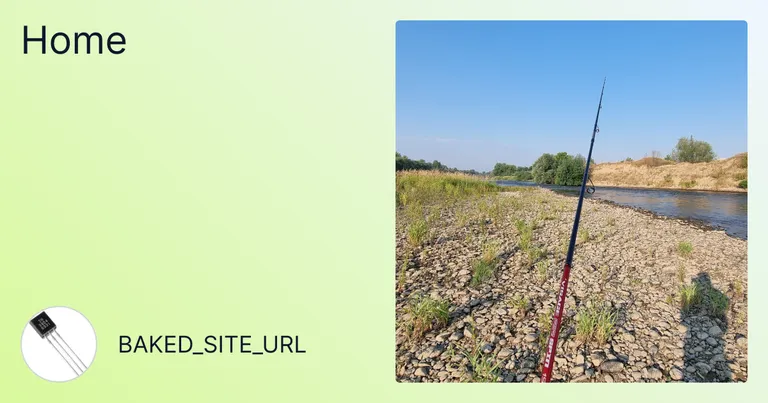
The obvious consequence is that we can either:
- Omit runtime data (
SITE_URL) from the Open Graph images, or use a unique and consistentSITE_URL_CANONICALfor all environments. - Externalize the Open Graph endpoint and implement it as a dynamic API endpoint with a full Node.js runtime that reads the request object and renders images dynamically. This would require a separate backend app and hosting, and the complexity of this setup outweighs the complexity of rebuilding the images for each environment.
Obviously, both options 1 and 2 are bad trade-offs and beyond what’s acceptable. At this point, it’s better to keep the existing setup and rebuild the website for each environment.
Issue no. 3 conclusion: It is unacceptable.
You must transform variables in client-side JavaScript
Often, you need to transform a URL variable, for example to extract the domain from the URL. Obviously, you can’t do this in Astro TypeScript code that runs at build time, because it would use values from the baked placeholders and inline the incorrect placeholder domain into the bundle. You must keep the baked variable intact during the build.
The solution is to move that transformation to client-side JavaScript by including a <script /> with the transformation code that runs on page load. As mentioned earlier, this degrades page performance and SEO, because the client needs to parse and run the JavaScript to get the final content of the page.
<!-- title attribute needs just the domain from the SITE_URL -->
<link  id="rss-link"  rel="alternate"  type="application/rss+xml"  data-SITE_URL={SITE_URL}  title="RSS feed"  href="/api/feed/rss"/>
<script>  // or read it form DOM and data-SITE_URL attribute  const siteUrl = window.__RUNTIME_ENV__.SITE_URL;  const hostname = new URL(siteUrl).hostname;
  const link = document.getElementById('rss-link');
  if (link && hostname) {    link.title = 'RSS feed for ' + hostname;  }</script>
As mentioned, this makes the code messy, overly verbose, and error-prone. It degrades page performance and SEO, and defeats Astro’s zero client-side JavaScript by default strategy. All of this is, once again, beyond acceptable.
Issue no. 4 conclusion: It is unacceptable.
Completed code
- Pull request: https://github.com/nemanjam/nemanjam.github.io/pull/28
Conclusion
The experiment partially worked, but the results clearly show why a reusable build for a pure static website is a bad idea in practice.
It is possible to inject start-time environment variables into a static bundle using shell scripts, Nginx entrypoints, and carefully crafted placeholders. With enough discipline, you can even make builds pass by separating string variables from URL-shaped variables, bending schemas, and moving certain logic into client-side JavaScript. However, every step in that direction erodes the very benefits that make static websites attractive in the first place.
A pure static website has no server runtime, no request context, and no dynamic execution environment. As soon as you try to retrofit runtime configuration into that model, you run into hard limitations. Non-string values must be faked, URLs must be handled as special cases, Open Graph images become impossible to render correctly, and any transformation of environment data leaks into client-side JavaScript. At that point, you are no longer building a clean static site, but a fragile system of workarounds that hurts performance, SEO, and maintainability.
If you already have a dynamic, server-side rendered website that uses a server runtime and only need a few static pages, then a few workarounds to benefit from runtime environment variables and reusable builds can represent a reasonable trade-off. I already described that use case in the previous article: https://nemanjamitic.com/blog/2025-12-13-nextjs-runtime-environment-variables.
On the other hand, if you want the simplicity, performance, and reliability of a pure static website, then accept rebuilds as part of the workflow.
References
- Starting point tutorial: https://phase.dev/blog/nextjs-public-runtime-variables/
More posts
-
Github login with FastAPI and Next.js
A practical example of implementing Github OAuth in FastAPI, and why Next.js server actions and API routes are convenient for managing cookies and domains.
-

Automating the deployment of a static website to Vercel with Github Actions
Use Github Actions and the Vercel CLI to automate the deployment of a static website to Vercel.
-
Why you should use rsync instead of scp in deployments
A practical performance comparison of deployment file transfer methods and why rsync usually outperforms scp.