
Building a simple Bash backup script with Docker, MySQL and rsync
Step-by-step guide to designing pragmatic bash scripts for automated backups, including database dumps, file archiving, retention policies, validation, and remote synchronization.
· showcases · 31 minutes
Introduction
This article walks through the thought process behind designing a minimalistic backup script in Bash. While there are robust and sophisticated backup solutions (such as zerobyte or plakar), the goal here is to build something simple and minimal. It also serves as a practical exercise for improving both design thinking and Bash scripting skills.
We won’t start entirely from scratch. Instead, we’ll use the existing todiadiyatmo/bash-backup-rotation-script as a starting point and adapt and iterate it to fit our use case.
As a sample application, we’ll use the latest MyBB forum running on PHP and MySQL, based on nemanjam/mybb-docker, deployed with Docker.
Requirements
Let’s start by clearly defining the requirements the script should fulfill so we can address them properly:
- It should back up both the database and multiple, arbitrary file assets.
- It should dump a MySQL database running inside a Docker container.
- It should assume and enforce a predefined folder structure for both the application and the backups.
- It should retain multiple, configurable daily, weekly, and monthly copies (as in the original script).
- It should support both local and remote backups.
These core requirements are enough to get us started.
Structure
At the beginning, we need to make some core decisions about how to structure the code that creates and manages backups, as well as how to organize the folder structure for the application code, backup scripts, and backup files.
Note: The terms “local” and “remote” are used relative to the server where the application being backed up is running. “Local” refers to the server’s filesystem, while “remote” refers to machines where backup copies are stored permanently. These are often devices (such as a laptop, Raspberry Pi, or home server) within a local network, so don’t be confused by the terminology.
Local and remote scripts
We prefer having local backups that can be quickly restored without needing to fetch and transfer data from a remote machine. At the same time, we also want true remote backups - synced copies stored on one or more external machines, since we treat our server instance as disposable.
There are two main approaches to this, depending on whether the primary backup script is stored and scheduled locally or on a remote machine:
- A local backup script that creates backups and a separate script syncs them to remote machines.
- Remote machines independently connect over SSH, send and execute the backup script on the server, and download the resulting backup.
The first approach is simpler and easier to understand, so we’ll go with that. It also provides a solid foundation if we decide to extend the system later and implement the second approach as well.
# Main, local backup scriptbackup-files-and-mysql.sh
# Remote sync scriptbackup-rsync-local.sh
However, both approaches rely on a clear, predefined folder structure, which should be explicitly validated when the script runs.
Folder structure
Bash scripts rely completely on relative paths, which means the script code and the surrounding folder structure are tightly coupled. A simple and understandable structure is a prerequisite for clean and reliable code.
Local folder structure
Below is the expected folder structure for both the server and local backups. In this context, “local” means local to the running application itself, on the same machine and file system. This backup repository serves as the source of truth for all other synchronized, remote backup copies.
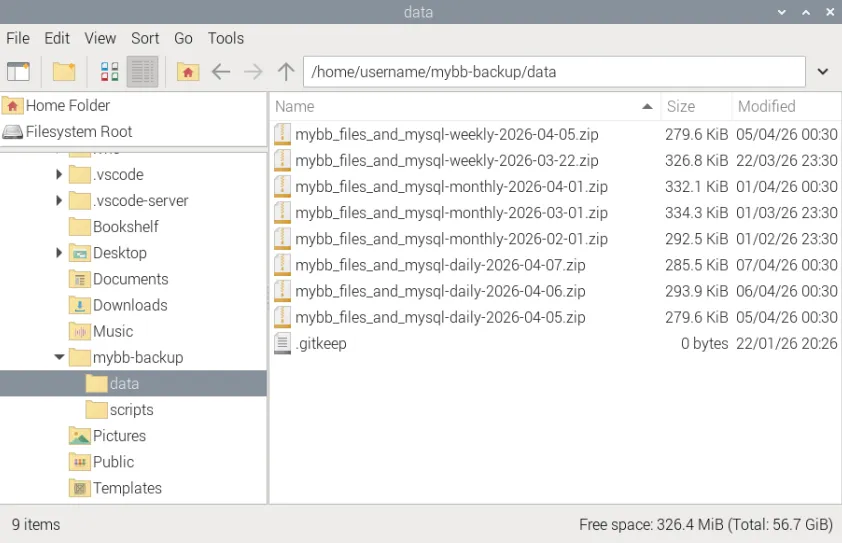
Here, mybb/ is the application root directory, containing both the application files and the backup. Accordingly, mybb/backup/ is the backup directory, which includes the backup Bash scripts (mybb/backup/scripts/) and the backup data (mybb/backup/data/). The generated .zip archive contains a mysql_database/ folder for the MySQL dump, while adjacent asset folders retain their original names.
This folder structure is mandatory and fixed, as all file paths in the backup-files-and-mysql.sh script are defined relative to the script location (mybb/backup/scripts/).
Another useful detail is that the application files in mybb/ are versioned, including the backup-files-and-mysql.sh script. Since we don’t use a .env file for configuration, the production server contains an unversioned copy named backup-files-and-mysql-run.sh, which includes both the actual variables and executable code. This approach simplifies git pull operations and repository updates. Naturally, all backup data in mybb/backup/data/ is excluded from version control via .gitignore.
# Local (server) backup folder structure:## mybb/# ├─ backup/# │ ├─ scripts/ - backup scripts# │ │ ├─ backup-files-and-mysql.sh - versioned# │ │ └─ backup-files-and-mysql-run.sh - current script# │ └─ data/ - backups data# │ ├─ mybb_files_and_mysql-daily-2026-01-20.zip# │ │ ├─ inc/# │ │ ├─ images/custom/# │ │ └─ mysql_database/# │ │ └─ mybb.sql# │ ├─ mybb_files_and_mysql-daily-2026-01-19.zip# │ ├─ mybb_files_and_mysql-weekly-2026-01-14.zip# │ └─ mybb_files_and_mysql-monthly-2026-01-01.zip# ├── data - Docker volumes# │ ├── mybb-data - PHP forum files# │ └── mysql-data - database data# ├── docker-compose.yml - containers definitions# |# ...# |# ├── .gitignore# └── README.mdRemote (synced) folder structure
This is the synchronized backup repository, which is considered remote from the server’s perspective. In most cases, it resides on one of our local machines where backups are stored.
As a synchronized mirror, its folder structure is identical, with one important distinction: it only contains the mybb/backup/ directory and does not include any application files, only the backups themselves. Additionally, this repository is not versioned.
# Remote (synced) backup folder structure:## mybb/# └─ backup/# ├─ scripts/# │ └─ backup-rsync-local.sh - current script# └─ data/# ├─ .gitkeep# ├─ mybb_files_and_mysql-daily-2026-01-20.zip# │ ├─ inc/# │ ├─ images/custom/# │ └─ mysql_database/# │ └─ mybb.sql# ├─ mybb_files_and_mysql-daily-2026-01-19.zip# ├─ mybb_files_and_mysql-weekly-2026-01-14.zip# └─ mybb_files_and_mysql-monthly-2026-01-01.zipLocal backup script
This is the main script that creates a backup on the server’s local filesystem. It dumps the MySQL database running in Docker into a plain UTF-8 .sql file and also backs up predefined application files and folders. A temporary staging folder is used to create a well-structured .zip archive.
Let’s walk through the main script responsible for creating backups of MySQL database and arbitrary application assets, section by section.
Entire script: https://github.com/nemanjam/bash-backup/blob/main/backup-files-and-mysql.sh
Configurable variables
These are the real variables that can be freely adjusted to fit a specific application and use case. Normally, they would be defined in a .env file, but for simplicity, they are hardcoded directly in the Bash script. Modifying these values does not require changing the script’s code.
The variables are fairly self-explanatory:
DB_*- variables used for connecting to the MySQL database instance we want to back up.LOCAL_BACKUP_DIR- the directory where backup files are stored.SRC_CODE_DIRS- an associative array listing the files and directories to include in the backup.BACKUP_RETENTION_*- the number of daily, weekly, and monthly backups to retain.MAX_RETENTION- the upper limit for anyBACKUP_RETENTION_*value.
# ---------- Configuration ----------
# MySQL credentialsDB_CONTAINER_NAME="mybb-database"DB_NAME="mybb"DB_USER="mybbuser"DB_PASS="password"
# Note: all commands run from script dir, NEVER call cd, for relative paths to work
# Dirs paths# Local folder is root, all other paths are relative to it# script located at ~/traefik-proxy/apps/mybb/backup/scriptsLOCAL_BACKUP_DIR="../data"
# File or directory# Relative to script dir, ../../ returns to: apps/mybb/declare -A SRC_CODE_DIRS=(    ["inc"]="../../data/mybb-data/inc/config.php"    ["images/custom"]="../../data/mybb-data/images/custom")
# RetentionMAX_RETENTION=6 # 6 months for monthly backupsBACKUP_RETENTION_DAILY=3BACKUP_RETENTION_WEEKLY=2BACKUP_RETENTION_MONTHLY=6
Logging variables
These are additional configurable variables used specifically to control logging behavior. Since the backup script runs periodically via cron, proper logging is essential for monitoring, validation, and debugging. The last thing we want is a incorrect or misconfigured script silently producing invalid and unusable backups for months.
The variables are as follows:
LOG_TO_FILE- a boolean that determines whether logs are written to a file or output to the terminal.LOG_FILE- the path to the log file.LOG_MAX_SIZE_MBandLOG_KEEP_SIZE_MB- used to prevent unlimited log file growth.LOG_MAX_SIZE_MBa float defining the maximum file size (in MB), after which the log is truncated, whileLOG_KEEP_SIZE_MBdefines the size to retain after truncation.LOG_TIMEZONE- the time zone used for log timestamps.
# ---------- Logging vars ----------
# Enable only when running from cron# Cron has no TTY, interactive shell doesLOG_TO_FILE=false[ -z "$PS1" ] && LOG_TO_FILE=true
# Log fileLOG_FILE="./log-backup-files-and-mysql.txt"
# Log size limits (MB, float allowed)LOG_MAX_SIZE_MB=1.0   # truncate when log exceeds thisLOG_KEEP_SIZE_MB=0.5  # keep last N MB after truncation
# Timezone for log timestampsLOG_TIMEZONE="Europe/Belgrade"
Constants
These are constant global variables, defined in a single place and reused throughout the script. Unlike configuration variables, they are not meant to be modified, as they are tightly coupled with the script’s logic. Changing them requires corresponding updates to the code.
MYSQL_ZIP_DIR_NAMEandFILES_ZIP_DIR_NAME- directory names used inside the archive.ZIP_PREFIX- prefix for backup archive filenames.FREQ_PLACEHOLDER- placeholder string to be replaced with the actual retention frequency in archive names.DATE- date string included in the archive filename.DAY_OF_*- numeric values (e.g., day of week/month) included in archive names.BACKUP_*- boolean flags derived fromBACKUP_RETENTION_*variables.SCRIPT_DIR- absolute path of the current script, intended for resolving relative paths (currently unused).
# ---------- Constants ----------
# Zip vars# Both inside zipMYSQL_ZIP_DIR_NAME="mysql_database"FILES_ZIP_DIR_NAME="source_code"
# Must match backup-rsync-local.shZIP_PREFIX="mybb_files_and_mysql"FREQ_PLACEHOLDER='frequency'
DATE=$(date +"%Y-%m-%d")ZIP_PATH="$LOCAL_BACKUP_DIR/$ZIP_PREFIX-$FREQ_PLACEHOLDER-$DATE.zip"
# Current day and weekdayDAY_OF_MONTH=$((10#$(date +%d))) # Force decimal, avoid bash octal bug on 08/09DAY_OF_WEEK=$((10#$(date +%u))) # 1=Monday … 7=Sunday
# Must do it like this for booleansBACKUP_DAILY=$([[ $BACKUP_RETENTION_DAILY -gt 0 ]] && echo true || echo false)BACKUP_WEEKLY=$([[ $BACKUP_RETENTION_WEEKLY -gt 0 ]] && echo true || echo false)BACKUP_MONTHLY=$([[ $BACKUP_RETENTION_MONTHLY -gt 0 ]] && echo true || echo false)
# Script dir absolute path, unused# mybb/backup/scriptsSCRIPT_DIR="$(cd "$(dirname "${BASH_SOURCE[0]}")" && pwd)"
Setup logging
At the top of the script, right below the variable and constant definitions, we conditionally call the setup_logging() function based on the LOG_TO_FILE variable. This function redirects both standard output and error output (e.g., from echo commands) to the LOG_FILE.
Additionally, it avoids a common pitfall of infinitely growing log files by truncating the file to LOG_KEEP_SIZE_MB whenever it reaches LOG_MAX_SIZE_MB. This ensures that only the most recent log entries are preserved.
# ---------- Enable logging ----------
setup_logging() {    local max_size keep_size
    # Convert MB -> bytes (rounded down)    max_size=$(echo "$LOG_MAX_SIZE_MB * 1024 * 1024 / 1" | bc)    keep_size=$(echo "$LOG_KEEP_SIZE_MB * 1024 * 1024 / 1" | bc)
    # Ensure log file exists (do not truncate)    if [ ! -f "$LOG_FILE" ]; then        touch "$LOG_FILE"    fi
    # Truncate log if too big    local size size_mb    size=$(stat -c%s "$LOG_FILE")    size_mb=$(awk "BEGIN {printf \"%.2f\", $size/1024/1024}")  # convert bytes -> MB
    if (( size > max_size )); then        tail -c "$keep_size" "$LOG_FILE" > "$LOG_FILE.tmp" && mv "$LOG_FILE.tmp" "$LOG_FILE"
        # Log truncation message happens before the exec redirection, so it needs its own timestamp        echo "$(TZ="$LOG_TIMEZONE" date '+%Y-%m-%d %H:%M:%S') [INFO] Log truncated: original_size=${size_mb}MB, max_size=${LOG_MAX_SIZE_MB}MB, keep_size=${LOG_KEEP_SIZE_MB}MB" >> "$LOG_FILE"    fi
    # Redirect stdout + stderr to log file with timestamps    exec > >(while IFS= read -r line; do        echo "$(TZ="$LOG_TIMEZONE" date '+%Y-%m-%d %H:%M:%S') $line"    done >> "$LOG_FILE") 2>&1
    # Per-run separator — just echo, timestamps added automatically    echo    echo "========================================"    echo "[INFO] Logging started"    echo "[INFO] Log file: $LOG_FILE"    echo "[INFO] Max size: ${LOG_MAX_SIZE_MB}MB, keep: ${LOG_KEEP_SIZE_MB}MB"    echo "========================================"    echo}
if [ "$LOG_TO_FILE" = true ]; then    setup_loggingfi
Validate configuration
Before executing any other logic, we validate the existence and correctness of the configuration variables and ensure that the environment meets the basic requirements needed to produce a usable and meaningful backup. The following checks are performed:
- The MySQL container is running.
- A connection to the MySQL database inside the container can be established.
- The local backup directory is defined, exists, and is not the root directory (to avoid catastrophic deletion).
- All defined asset paths exist.
- At least one of daily, weekly, or monthly backups is enabled.
- Any temporary backup archive from the previous run is deleted. This also allows the backup to be recreated and overwritten on the same day.
# ---------- Validate config ------------
is_valid_config() {    local non_zero_found=0
    echo "[INFO] Validating configuration..."
    # Check that MySQL container is running    if ! docker inspect -f '{{.State.Running}}' "$DB_CONTAINER_NAME" 2>/dev/null | grep -q true; then        echo "[ERROR] MySQL container not running or not found: DB_CONTAINER_NAME=$DB_CONTAINER_NAME" >&2        return 1    fi
    # Check MySQL connectivity inside container    if ! docker exec "$DB_CONTAINER_NAME" \        mysql -u"$DB_USER" -p"$DB_PASS" "$DB_NAME" -e "SELECT 1;" >/dev/null 2>&1; then        echo "[ERROR] MySQL connection failed: container=$DB_CONTAINER_NAME user=$DB_USER db=$DB_NAME" >&2        return 1    fi
    # Check local backup directory variable is set, dir exists, and is not root    if [ -z "$LOCAL_BACKUP_DIR" ] || [ ! -d "$LOCAL_BACKUP_DIR" ] || [ "$LOCAL_BACKUP_DIR" = "/" ]; then        echo "[ERROR] Local backup directory invalid: path=$LOCAL_BACKUP_DIR" >&2        return 1    fi
    # Check source code paths exist (file or directory)    for path in "${SRC_CODE_DIRS[@]}"; do        if [ ! -e "$path" ]; then            echo "[ERROR] Source path missing: path=$SCRIPT_DIR/$path" >&2            return 1        fi    done
    # Validate retention values    for var in BACKUP_RETENTION_DAILY BACKUP_RETENTION_WEEKLY BACKUP_RETENTION_MONTHLY; do        value="${!var}"
        if [[ ! "$value" =~ ^[0-9]+$ ]]; then            echo "[ERROR] Retention value is not a number: $var=$value" >&2            return 1        fi
        if (( value > MAX_RETENTION )); then            echo "[ERROR] Retention value too large: $var=$value max=$MAX_RETENTION" >&2            return 1        fi
        (( value > 0 )) && non_zero_found=1    done
    if (( non_zero_found == 0 )); then        echo "[ERROR] All retention values are zero: daily=$BACKUP_RETENTION_DAILY weekly=$BACKUP_RETENTION_WEEKLY monthly=$BACKUP_RETENTION_MONTHLY" >&2        return 1    fi
    # Delete existing temp backup file for this day (idempotent, can run on same day)    if [[ -f "$ZIP_PATH" ]]; then        rm -f "$ZIP_PATH"        echo "[WARN] Existing temporary backup file deleted: $ZIP_PATH"    fi
    echo "[INFO] Configuration is valid. Creating backup..."
    return 0}
Backup logic
The create_backup() function is the core of the entire script. It assembles a MySQL database dump and file assets into a structured archive with well-organized relative paths, while also cleaning up any temporary files created during the process.
To build the archive with proper relative paths, we use a temporary STAGING_DIR directory. Inside this directory, the database dump is stored under a folder named by the MYSQL_ZIP_DIR_NAME constant, while file assets are grouped under the FILES_ZIP_DIR_NAME directory.
Using a combination of docker exec and mysqldump, we export the database contents as a plain UTF-8 .sql file and place it into the staging directory. The file is named after the database itself, using the DB_NAME configuration variable.
We then copy all asset files and directories defined in SRC_CODE_DIRS into the staging directory under the FILES_DIR parent folder. If SRC_CODE_DIRS is empty, the entire FILES_DIR directory is removed from the staging area to avoid unnecessary clutter.
Next, we create a .zip archive from STAGING_DIR using a subshell to safely change directories without affecting the main script, which would otherwise break relative path handling. Note that the script is intentionally designed to rely exclusively on relative paths. The resulting archive is saved to the ZIP_PATH location.
Finally, we remove the STAGING_DIR directory regardless of whether archive creation succeeds or fails. This ensures idempotency and prevents leftover temporary files from accumulating.
create_backup() {    # Note: use staging dir with relative paths to have nice overview in GUI archive utility
    # Local scope    # staging dir: mybb/backup/data/staging_dir    # temp db dir: mybb/backup/data/staging_dir/mysql_database    # working dir: mybb/backup/scripts    local STAGING_DIR="$LOCAL_BACKUP_DIR/staging_dir"    local TEMP_DB_DIR="$STAGING_DIR/$MYSQL_ZIP_DIR_NAME"    local FILES_DIR="$STAGING_DIR/$FILES_ZIP_DIR_NAME"
    # Reset staging dir from previous broken state    rm -rf "$STAGING_DIR"    mkdir -p "$TEMP_DB_DIR"  # Will recreate staging dir    mkdir -p "$FILES_DIR"    # Folder to group all source code
    echo "[INFO] Created staging directory: $STAGING_DIR"    echo "[INFO] Created temporary DB directory: $TEMP_DB_DIR"    echo "[INFO] Created files directory: $FILES_DIR"
    # Dump MySQL as plain UTF-8 .sql    docker exec "$DB_CONTAINER_NAME" sh -c \        'mysqldump --no-tablespaces -u"$DB_USER" -p"$DB_PASS" "$DB_NAME"' \        > "$TEMP_DB_DIR/$DB_NAME.sql"
    echo "[INFO] MySQL database dumped: db_name=$DB_NAME -> path=$TEMP_DB_DIR/$DB_NAME.sql"
    # Copy source code folders grouped into FILES_DIR dir    for SRC_CODE_DIR in "${!SRC_CODE_DIRS[@]}"; do        SRC_CODE_DIR_PATH="${SRC_CODE_DIRS[$SRC_CODE_DIR]}"        cp -a "$SRC_CODE_DIR_PATH" "$FILES_DIR/"        echo "[INFO] Added to staging: $SRC_CODE_DIR_PATH -> $FILES_ZIP_DIR_NAME/"    done
    # Remove FILES_DIR if empty    if [ -d "$FILES_DIR" ] && [ -z "$(ls -A "$FILES_DIR")" ]; then        rm -rf "$FILES_DIR"        echo "[INFO] Removed empty files directory: $FILES_DIR"    fi
    # Create zip with clean relative paths    # ( ... ) - subshell, cd wont affect working dir of the main script    (        cd "$STAGING_DIR" || {            echo "[ERROR] Failed to cd into staging directory: $STAGING_DIR" >&2            exit 1        }
        # There was cd in subshell        # Adjust zip path relative to staging_dir        zip -r "../$ZIP_PATH" .    ) || {        echo "[ERROR] Zip creation failed: $ZIP_PATH" >&2        rm -rf "$STAGING_DIR"        exit 1    }
    echo "[INFO] Created zip archive: $ZIP_PATH"
    # Cleanup    rm -rf "$STAGING_DIR"    echo "[INFO] Removed staging directory: $STAGING_DIR"    echo "[INFO] Backup file created successfully: $ZIP_PATH"}
The create_retention_copies() function manages retention by creating time-based copies (daily, weekly, monthly) of a freshly generated backup file. The original backup file path (ZIP_PATH) includes a placeholder string (frequency), defined by the FREQ_PLACEHOLDER constant.
For each retention option, the function evaluates the current date (e.g., Sunday for weekly, the first day of the month for monthly) and checks whether the corresponding BACKUP_* variable is enabled. If the conditions are satisfied, the original backup is copied and renamed by replacing the placeholder with the appropriate frequency.
To ensure idempotency, the function checks whether a retention copy for the current day already exists. If it does, it is removed before creating a new one, allowing the script to be safely re-run on the same day.
Finally, the temporary backup file with the placeholder name is deleted, as it is no longer needed after the retention copies are created.
create_retention_copies() {    local IS_WEEKLY=$(( DAY_OF_WEEK == 7 )) # Sunday    local IS_MONTHLY=$(( DAY_OF_MONTH == 1 )) # First day of month
    if [[ ! -f "$ZIP_PATH" ]]; then        echo "[ERROR] Backup file does not exist: $ZIP_PATH"        return 1    fi
    for FREQ in daily weekly monthly; do        case "$FREQ" in            daily)                [[ "$BACKUP_DAILY" == true ]] || continue                ;;            weekly)                [[ "$IS_WEEKLY" -eq 1 && "$BACKUP_WEEKLY" == true ]] || continue                ;;            monthly)                [[ "$IS_MONTHLY" -eq 1 && "$BACKUP_MONTHLY" == true ]] || continue                ;;        esac
        # Placeholder 'frequency' string replacement        TARGET_FILE="${ZIP_PATH/$FREQ_PLACEHOLDER/$FREQ}"
        # Delete existing backup for this frequency (idempotent, can run on same day)        if [[ -f "$TARGET_FILE" ]]; then            rm -f "$TARGET_FILE"            echo "[WARN] Existing $FREQ backup removed: $TARGET_FILE"        fi
        cp "$ZIP_PATH" "$TARGET_FILE"        echo "[INFO] $FREQ backup copied successfully: $TARGET_FILE"    done
    rm -f "$ZIP_PATH"    echo "[INFO] Removed temporary backup file: $ZIP_PATH"}
We don’t want to accumulate an unlimited number of backup copies; instead, we delete outdated ones according to the retention limits defined by the BACKUP_RETENTION_* variables.
The prune_old_backups() function enforces these retention limits by removing older backups for each frequency (daily, weekly, monthly).
Based on the BACKUP_RETENTION_* variables, we dynamically calculate the RETENTION integer value for each frequency. If it is zero or unset, we exit early from the loop.
We then list the contents of the LOCAL_BACKUP_DIR and delete outdated copies by processing the output of the ls command through a pipeline:
- We filter out files that do not contain values from the
ZIP_PREFIXandFREQvariables. - We skip the first
RETENTIONlines, which effectively keeps theRETENTIONmost recent backups. - Using
xargsandrm -R, we delete all remaining filenames line by line, ignoring any error messages to keep logs clean.
prune_old_backups() {    for FREQ in daily weekly monthly; do        # Determine retention variable dynamically        RETENTION_VAR="BACKUP_RETENTION_${FREQ^^}"  # uppercase: daily -> DAILY        RETENTION="${!RETENTION_VAR}"
        # Skip if retention is zero or unset        [[ -z "$RETENTION" || "$RETENTION" -le 0 ]] && continue
        # Find old backups and delete them        ls -t "$LOCAL_BACKUP_DIR" \            | grep "$ZIP_PREFIX" \            | grep "$FREQ" \            | sed -e 1,"$RETENTION"d \            | xargs -d '\n' -I{} rm -R "$LOCAL_BACKUP_DIR/{}" > /dev/null 2>&1
        echo "[INFO] Pruned $FREQ backups, keeping last $RETENTION"    done}
Main invocation
Finally, we invoke the functions defined above.
First, we ensure that all required configuration is correct. If validation fails, the script prints an error message to stderr and immediately exits with a non-zero status, preventing any further execution.
If the configuration is valid, the script continues by creating a backup archive, then generating additional retention copies, and finally removing old backups.
# ---------- Main script ----------
if ! is_valid_config; then    echo "[ERROR] Configuration validation failed. Aborting backup." >&2    exit 1fi
create_backup
create_retention_copies
prune_old_backups
echo "[INFO] Backup completed successfully."
Below is an example log entry from a successful run when creating a backup:
2026-04-07 00:30:01 ========================================2026-04-07 00:30:01 [INFO] Logging started2026-04-07 00:30:01 [INFO] Log file: ./log-backup-files-and-mysql.txt2026-04-07 00:30:01 [INFO] Max size: 1.0MB, keep: 0.5MB2026-04-07 00:30:01 ========================================2026-04-07 00:30:012026-04-07 00:30:01 [INFO] Validating configuration...2026-04-07 00:30:01 [INFO] Configuration is valid. Creating backup...2026-04-07 00:30:01 [INFO] Created staging directory: ../data/staging_dir2026-04-07 00:30:01 [INFO] Created temporary DB directory: ../data/staging_dir/mysql_database2026-04-07 00:30:01 [INFO] Created files directory: ../data/staging_dir/source_code2026-04-07 00:30:01 mysqldump: [Warning] Using a password on the command line interface can be insecure.2026-04-07 00:30:02 [INFO] MySQL database dumped: db_name=mybb -> path=../data/staging_dir/mysql_database/mybb.sql2026-04-07 00:30:02 [INFO] Added to staging: ../../data/mybb-data/images/custom -> source_code/2026-04-07 00:30:02 [INFO] Added to staging: ../../data/mybb-data/inc/config.php -> source_code/2026-04-07 00:30:02 adding: mysql_database/ (stored 0%)2026-04-07 00:30:02 adding: mysql_database/mybb.sql (deflated 83%)2026-04-07 00:30:02 adding: source_code/ (stored 0%)2026-04-07 00:30:02 adding: source_code/config.php (deflated 62%)2026-04-07 00:30:02 adding: source_code/custom/ (stored 0%)2026-04-07 00:30:02 adding: source_code/custom/logo-blue-153x75.png (stored 0%)2026-04-07 00:30:02 adding: source_code/custom/logo-blue-588x288.png (deflated 0%)2026-04-07 00:30:02 [INFO] Created zip archive: ../data/mybb_files_and_mysql-frequency-2026-04-07.zip2026-04-07 00:30:02 [INFO] Removed staging directory: ../data/staging_dir2026-04-07 00:30:02 [INFO] Backup file created successfully: ../data/mybb_files_and_mysql-frequency-2026-04-07.zip2026-04-07 00:30:02 [INFO] daily backup copied successfully: ../data/mybb_files_and_mysql-daily-2026-04-07.zip2026-04-07 00:30:02 [INFO] Removed temporary backup file: ../data/mybb_files_and_mysql-frequency-2026-04-07.zip2026-04-07 00:30:02 [INFO] Pruned daily backups, keeping last 32026-04-07 00:30:02 [INFO] Pruned weekly backups, keeping last 22026-04-07 00:30:02 [INFO] Pruned monthly backups, keeping last 62026-04-07 00:30:02 [INFO] Backup completed successfully.Remote syncing script
Besides the main backup script running directly on the server, we use an additional script that replicates the original backup on remote machines.
This script synchronizes the backups created on the server (which serves as the source of truth) to remote machines used for storing backup copies. It connects to the server via SSH, validates both the backup and local folder structure, and finally synchronizes the data using the rsync command.
Entire script: https://github.com/nemanjam/bash-backup/blob/main/backup-rsync-local.sh
Configurable variables
Similarly to the local scripts, these are configurable variables that would typically be defined in a .env file. They are used to configure the synchronization script.
REMOTE_HOST- the server host used for the SSH andrsyncconnections.REMOTE_BACKUP_DIR- the absolute path (avoid shell expansion) to the backup directory on the server (source of truth).LOCAL_BACKUP_DIR- the relative path to the local directory where backups are synchronized.MIN_BACKUP_SIZE_MB- a human-readable float value (in MB) representing the minimum valid backup size.MIN_BACKUP_SIZE_BYTES- the equivalent integer value in bytes, used for actual validation and computations.
# ---------- Configuration ----------
REMOTE_HOST="arm2"# Full, absolute path - can't use ~/, used both locally and remote with ssh/rsyncREMOTE_BACKUP_DIR="/home/ubuntu/traefik-proxy/apps/mybb/backup/data"
# Note: all commands run from script dir, NEVER call cd, for relative LOCAL paths to workLOCAL_BACKUP_DIR="../data"
# Minimum valid backup size, ZIP size, compressed# Only db for blank forum, zip=158.2 KiB# FloatMIN_BACKUP_SIZE_MB=0.1# IntegerMIN_BACKUP_SIZE_BYTES=$(echo "$MIN_BACKUP_SIZE_MB * 1024 * 1024 / 1" | bc) # rounded to integer
Constants
The only constant used is ZIP_PREFIX and it must match the one used in backup creation script backup-files-and-mysql.sh.
# ---------- Constants ----------
# Must match backup-files-and-mysql.shZIP_PREFIX="mybb_files_and_mysql"
# Script dir absolute path, unusedSCRIPT_DIR="$(cd "$(dirname "${BASH_SOURCE[0]}")" && pwd)"
Logging variables
These are the same as in the Local backup script. The logging format is identical in both the local and remote scripts.
# ---------- Logging vars ----------
# Enable only when running from cron# Cron has no TTY, interactive shell doesLOG_TO_FILE=false[ -z "$PS1" ] && LOG_TO_FILE=true
# Log fileLOG_FILE="./log-backup-rsync-local.txt"
# Log size limits (MB, float allowed)LOG_MAX_SIZE_MB=1.0   # truncate when log exceeds thisLOG_KEEP_SIZE_MB=0.5  # keep last N MB after truncation
# Timezone for log timestampsLOG_TIMEZONE="Europe/Belgrade"
Setup logging
Identical as in the local script.
Validate configuration
Same as in the local script, we validate the existence and correctness of the configuration variables before performing any other logic. In this case, we ensure that:
- The SSH connection to the remote host can be established.
- The remote backup directory exists.
- The local backup directory exists.
# ---------- Validate config ------------
is_valid_config() {    echo "----------------------------------------"    echo "[INFO] Validating configuration"
    # Check SSH connectivity to remote host    if ! ssh -o BatchMode=yes -o ConnectTimeout=5 "$REMOTE_HOST" "true" >/dev/null 2>&1; then        echo "[ERROR] Cannot connect to remote host via SSH: REMOTE_HOST=$REMOTE_HOST" >&2        return 1    fi    echo "[INFO] SSH connection established: REMOTE_HOST=$REMOTE_HOST"
    # Check remote backup directory exists    if ! ssh "$REMOTE_HOST" "[ -d \"$REMOTE_BACKUP_DIR\" ]" >/dev/null 2>&1; then        echo "[ERROR] Remote backup directory does not exist: REMOTE_HOST=$REMOTE_HOST REMOTE_BACKUP_DIR=$REMOTE_BACKUP_DIR" >&2        return 1    fi    echo "[INFO] Remote backup directory exists: $REMOTE_BACKUP_DIR"
    # Check local backup directory exists    if [ ! -d "$LOCAL_BACKUP_DIR" ]; then        echo "[ERROR] Local backup directory does not exist: path=$SCRIPT_DIR/$LOCAL_BACKUP_DIR" >&2        return 1    fi    echo "[INFO] Local backup directory exists: $SCRIPT_DIR/$LOCAL_BACKUP_DIR"
    echo "[INFO] Configuration validation successful"    echo "----------------------------------------"
    return 0}
Utility functions
Besides validating configuration variables, we also need to validate the remote backup on the server before syncing locally. This is a more complex task, so we break it down into a few smaller, reusable utility functions for clarity and readability.
get_latest_date()expects a list of filenames viastdin, extracts the date part inYYYY-MM-DDformat, sorts them in descending order, and returns the top item, which is the latest date in the list.split_backup_types()accepts a list of filenames as a single string (e.g. output fromls) as the first argument. The second argument is a mutable associative array passed by reference, used to store the result. The function parses the raw input string and groups backup filenames into categories (daily, weekly, monthly), storing each group in the corresponding key of the associative array.check_count()compares remote and local backup counts (for a given type). If the remote count is lower than the local count, it prints an error and returns failure.check_date()does the same for dates. If the latest remote backup date is older than the latest local backup date, it prints an error and returns failure.bytes_to_human()converts a size in bytes into a human-readable format (KB, MB, GB). It is used to improve log readability.check_file_size()validates that all remote backup files meet a minimum size requirement. It fetches file names and sizes from the remote server via SSH and iterates through each file. For each one, it logs the size and checks whether it is smaller than the minimum allowed sizeMIN_BACKUP_SIZE_BYTES. If any file is too small, it logs the filename and exits early with an error.
# ------------ Utils ------------
# Extract latest YYYY-MM-DD date from backup filenamesget_latest_date() {    sed -E 's/.*-([0-9]{4}-[0-9]{2}-[0-9]{2})\.zip/\1/' \        | sort | tail -n 1}
# Split a list of filenames into daily/weekly/monthly assoc arraysplit_backup_types() {    local files="$1"    declare -n arr=$2  # pass assoc array by name
    while IFS= read -r file; do        case "$file" in            *-daily-*.zip)   arr[daily]+="$file"$'\n' ;;            *-weekly-*.zip)  arr[weekly]+="$file"$'\n' ;;            *-monthly-*.zip) arr[monthly]+="$file"$'\n' ;;        esac    done <<< "$files"}
# Ensure remote has at least as many backups as localcheck_count() {    local remote_count="$1"    local local_count="$2"    local backup_type="$3"
    if (( remote_count < local_count )); then        echo "ERROR: remote has fewer type=$backup_type backups than local, remote_count=$remote_count, local_count=$local_count"        return 1    fi}
# Ensure remote backups are not older than localcheck_date() {    local remote_latest="$1"    local local_latest="$2"    local backup_type="$3"
    if [[ -n "$local_latest" && "$remote_latest" < "$local_latest" ]]; then        echo "ERROR: remote type=$backup_type backup is older than local, remote_latest=$remote_latest, local_latest=$local_latest"        return 1    fi}
# Convert bytes to human-readable formatbytes_to_human() {    local size=$1    if (( size < 1024 )); then        echo "${size}B"    elif (( size < 1024*1024 )); then        echo "$((size/1024))KB"    elif (( size < 1024*1024*1024 )); then        echo "$((size/1024/1024))MB"    else        echo "$((size/1024/1024/1024))GB"    fi}
# Ensure all remote backups are larger than minimum sizecheck_file_size() {    local bad_file bad_file_size    local remote_file size    local remote_files_info
    # Store SSH output in a variable    remote_files_info=$(ssh "$REMOTE_HOST" "        for f in $REMOTE_BACKUP_DIR/${ZIP_PREFIX}-*.zip; do            [ -f \"\$f\" ] || continue            stat -c '%n %s' \"\$f\"        done    ")
    # Iterate over each line in the variable    while read -r remote_file size; do        echo "[INFO] Remote file: $remote_file, size=$(bytes_to_human $size)"
        if (( size < MIN_BACKUP_SIZE_BYTES )); then            bad_file="$remote_file"            bad_file_size="$size"            break        fi    done <<< "$remote_files_info"
    if [[ -n "$bad_file" ]]; then        echo "ERROR: remote backup file too small: $bad_file, size=$(bytes_to_human $bad_file_size), min=$(bytes_to_human $MIN_BACKUP_SIZE_BYTES)"        return 1    fi
    echo "[INFO] All remote backup files meet minimum size, min=$(bytes_to_human $MIN_BACKUP_SIZE_BYTES)"    return 0}
Validate source of truth
The is_valid_backup() function is the final check before synchronization. It validates both remote (source of truth) and local backups, compares them for consistency, and ensures that we do not accidentally overwrite the local backup with a corrupted or inconsistent remote backup from the server. It composes the utility functions defined above and adds its own logic:
- It verifies that all remote backup files meet a minimum size requirement.
- For each backup type (daily, weekly, monthly), it ensures that:
- The remote contains more backups than the local.
- The latest backup date on the remote is newer than the latest local backup.
If any validation fails, the function prints an error and exits early with a non-zero status. If all checks pass, it confirms successful validation and returns success.
# ---------- Validation ----------
is_valid_backup() {    echo "----------------------------------------"    echo "[INFO] Validating backups"
    # Local variables    local -A remote_lists local_lists    local remote_all_files local_all_files
    # Loop variables    local backup_type    local remote_list local_list    local remote_count local_count    local remote_latest local_latest
    # Global size validation (run once)    if ! check_file_size; then        echo "ERROR: remote backup contains file(s) smaller than minimum size, min=$(bytes_to_human $MIN_BACKUP_SIZE_BYTES)"        return 1    fi    echo "[INFO] Remote backup file sizes validated, min=$(bytes_to_human $MIN_BACKUP_SIZE_BYTES)"
    # Store remote backup filenames in a variable and split, ignores .gitkeep    remote_all_files=$(ssh "$REMOTE_HOST" "ls -1 $REMOTE_BACKUP_DIR/${ZIP_PREFIX}-*.zip 2>/dev/null")    split_backup_types "$remote_all_files" remote_lists  echo "[INFO] Remote backup file list loaded for type(s):"  echo "$remote_all_files"
    # Store local backup filenames in a variable and split    local_all_files=$(ls -1 "$LOCAL_BACKUP_DIR/${ZIP_PREFIX}-*.zip" 2>/dev/null)    split_backup_types "$local_all_files" local_lists  echo "[INFO] Local backup file list loaded:"  echo "$local_all_files"
    for backup_type in daily weekly monthly; do        echo "[INFO] Checking backup type: $backup_type"
        # Set filename lists        remote_list="${remote_lists[$backup_type]}"        local_list="${local_lists[$backup_type]}"
        # Check counts        remote_count=$(echo "$remote_list" | grep -c . || true)        local_count=$(echo "$local_list" | grep -c . || true)        if ! check_count "$remote_count" "$local_count" "$backup_type"; then            echo "ERROR: backup count mismatch for type=$backup_type: remote=$remote_count is less than local=$local_count"            return 1        fi        echo "[INFO] Backup count valid: type=$backup_type remote=$remote_count local=$local_count"
        # Check latest dates        remote_latest=$(echo "$remote_list" | get_latest_date)        local_latest=$(echo "$local_list" | get_latest_date)        if ! check_date "$remote_latest" "$local_latest" "$backup_type"; then            echo "ERROR: latest backup date mismatch for type=$backup_type: remote=$remote_latest is older than local=$local_latest"            return 1        fi        echo "[INFO] Latest backup date valid: type=$backup_type date=$remote_latest"    done
    echo "[INFO] Backup validation successful"    echo "----------------------------------------"
    return 0}
Synchronizing local copy
Finally, we can invoke the validation functions from above and synchronize remote backup to the local machine.
It first verifies that the configuration is valid, and then that the remote backups are valid. If any validation fails, the script aborts and logs error message.
If both checks pass, it proceeds to mirror the remote backup directory locally using rsync, preserving structure and deleting any local files that no longer exist on the remote.
# ---------- Sync ----------
if ! is_valid_config; then    echo "[ERROR] Configuration validation failed. Aborting script." >&2    exit 1fi
# Exit early if remote backup is not validif ! is_valid_backup; then    echo "ERROR: Backup validation failed - aborting"    exit 1fi
# Note: no fallback logic for now
echo "[INFO] Remote backup valid - syncing data"
# Mirror remote data directory locallyrsync -ah --progress --delete "$REMOTE_HOST:$REMOTE_BACKUP_DIR/" "$LOCAL_BACKUP_DIR/"
echo "[INFO] Backup sync completed successfully."
Below is an example log entry from a successful run when synchronizing a backup:
2026-04-07 00:45:02 ========================================2026-04-07 00:45:02 [INFO] Logging started2026-04-07 00:45:02 [INFO] Log file: ./log-backup-rsync-local.txt2026-04-07 00:45:02 [INFO] Max size: 1.0MB, keep: 0.5MB2026-04-07 00:45:02 ========================================2026-04-07 00:45:022026-04-07 00:45:02 ----------------------------------------2026-04-07 00:45:02 [INFO] Validating configuration2026-04-07 00:45:03 [INFO] SSH connection established: REMOTE_HOST=arm22026-04-07 00:45:04 [INFO] Remote backup directory exists: / ... /traefik-proxy/apps/mybb/backup/data2026-04-07 00:45:04 [INFO] Local backup directory exists: / ... /mybb-backup/scripts/../data2026-04-07 00:45:04 [INFO] Configuration validation successful2026-04-07 00:45:04 ----------------------------------------2026-04-07 00:45:04 ----------------------------------------2026-04-07 00:45:04 [INFO] Validating backups2026-04-07 00:45:05 [INFO] Remote file: / ... /traefik-proxy/apps/mybb/backup/data/mybb_files_and_mysql-daily-2026-04-05.zip, size=279KB2026-04-07 00:45:05 [INFO] Remote file: / ... /traefik-proxy/apps/mybb/backup/data/mybb_files_and_mysql-daily-2026-04-06.zip, size=293KB2026-04-07 00:45:05 [INFO] Remote file: / ... /traefik-proxy/apps/mybb/backup/data/mybb_files_and_mysql-daily-2026-04-07.zip, size=285KB2026-04-07 00:45:05 [INFO] Remote file: / ... /traefik-proxy/apps/mybb/backup/data/mybb_files_and_mysql-monthly-2026-02-01.zip, size=292KB2026-04-07 00:45:05 [INFO] Remote file: / ... /traefik-proxy/apps/mybb/backup/data/mybb_files_and_mysql-monthly-2026-03-01.zip, size=334KB2026-04-07 00:45:05 [INFO] Remote file: / ... /traefik-proxy/apps/mybb/backup/data/mybb_files_and_mysql-monthly-2026-04-01.zip, size=332KB2026-04-07 00:45:05 [INFO] Remote file: / ... /traefik-proxy/apps/mybb/backup/data/mybb_files_and_mysql-weekly-2026-03-22.zip, size=326KB2026-04-07 00:45:05 [INFO] Remote file: / ... /traefik-proxy/apps/mybb/backup/data/mybb_files_and_mysql-weekly-2026-04-05.zip, size=279KB2026-04-07 00:45:05 [INFO] All remote backup files meet minimum size, min=102KB2026-04-07 00:45:05 [INFO] Remote backup file sizes validated, min=102KB2026-04-07 00:45:06 [INFO] Remote backup file list loaded for type(s):2026-04-07 00:45:06 / ... /traefik-proxy/apps/mybb/backup/data/mybb_files_and_mysql-daily-2026-04-05.zip2026-04-07 00:45:06 / ... /traefik-proxy/apps/mybb/backup/data/mybb_files_and_mysql-daily-2026-04-06.zip2026-04-07 00:45:06 / ... /traefik-proxy/apps/mybb/backup/data/mybb_files_and_mysql-daily-2026-04-07.zip2026-04-07 00:45:06 / ... /traefik-proxy/apps/mybb/backup/data/mybb_files_and_mysql-monthly-2026-02-01.zip2026-04-07 00:45:06 / ... /traefik-proxy/apps/mybb/backup/data/mybb_files_and_mysql-monthly-2026-03-01.zip2026-04-07 00:45:06 / ... /traefik-proxy/apps/mybb/backup/data/mybb_files_and_mysql-monthly-2026-04-01.zip2026-04-07 00:45:06 / ... /traefik-proxy/apps/mybb/backup/data/mybb_files_and_mysql-weekly-2026-03-22.zip2026-04-07 00:45:06 / ... /traefik-proxy/apps/mybb/backup/data/mybb_files_and_mysql-weekly-2026-04-05.zip2026-04-07 00:45:06 [INFO] Local backup file list loaded:2026-04-07 00:45:062026-04-07 00:45:06 [INFO] Checking backup type: daily2026-04-07 00:45:06 [INFO] Backup count valid: type=daily remote=3 local=02026-04-07 00:45:06 [INFO] Latest backup date valid: type=daily date=2026-04-072026-04-07 00:45:06 [INFO] Checking backup type: weekly2026-04-07 00:45:06 [INFO] Backup count valid: type=weekly remote=2 local=02026-04-07 00:45:06 [INFO] Latest backup date valid: type=weekly date=2026-04-052026-04-07 00:45:06 [INFO] Checking backup type: monthly2026-04-07 00:45:06 [INFO] Backup count valid: type=monthly remote=3 local=02026-04-07 00:45:06 [INFO] Latest backup date valid: type=monthly date=2026-04-012026-04-07 00:45:06 [INFO] Backup validation successful2026-04-07 00:45:06 ----------------------------------------2026-04-07 00:45:06 [INFO] Remote backup valid - syncing data2026-04-07 00:45:07 receiving incremental file list2026-04-07 00:45:07 deleting mybb_files_and_mysql-daily-2026-04-04.zip2026-04-07 00:45:07 ./2026-04-07 00:45:07 mybb_files_and_mysql-daily-2026-04-07.zip2026-04-07 00:45:07 0 0% 0.00kB/s 0:00:00 292.31K 100% 1.91MB/s 0:00:00 (xfr#1, to-chk=5/10)2026-04-07 00:45:07 [INFO] Backup sync completed successfully.Cron jobs
Now that we have implemented the scripts, we just need to schedule them to run daily by defining cron jobs on the server and on each machine that stores synced copies.
As a reminder, we can list and edit cron jobs using the following commands:
# List cronscrontab -l
# Edit cronscrontab -e
We need to carefully choose times that capture application data near the end of the day in our target time zone. The sync script must run after the backup creation script, so we need to estimate the execution time of the backup process and schedule the sync within a safe margin. With this in mind, we can schedule the backup at 23:30 and the sync at 23:45.
Another important detail is that both scripts rely on relative paths, so cron must execute them from the correct working directory. This can be achieved with cd /.../backup/scripts && bash ./my-script.sh. Additionally, we should use absolute paths in the cron configuration (avoiding shortcuts like ~ for the home directory), as such expansions may fail in a cron environment.
On server:
# Create backup every day at 23:30 Belgrade (UTC+2) time (21:30 UTC)30 21 * * * cd /home/username/traefik-proxy/apps/mybb/backup/scripts && /usr/bin/bash ./run-backup-files-and-mysql.shOn syncing machines:
# Sync backup every day at 23:45 Belgrade (UTC+2) time (21:45 UTC)45 21 * * * cd /home/username/mybb-backup/scripts && /usr/bin/bash ./run-backup-rsync-local.shInterestingly, I couldn’t find a reliable way to set a custom time zone for cron jobs. I tried setting the TZ and CRON_TZ variables, but they were ignored, and cron always fell back to UTC.
# None of these actually sets the time zone successfully# Always falls back to UTC
# GlobalTZ=Europe/BelgradeCRON_TZ=Europe/Belgrade
# Per job30 21 * * * TZ=Europe/Belgrade cd /home/username/traefik-proxy/apps/mybb/backup/scripts && /usr/bin/bash ./run-backup-files-and-mysql.sh30 21 * * * CRON_TZ=Europe/Belgrade cd /home/username/traefik-proxy/apps/mybb/backup/scripts && /usr/bin/bash ./run-backup-files-and-mysql.sh
Room for improvements
We described an example implementation along with the thought process behind designing a usable backup script. It is certainly not perfect or final, and it can be enhanced and improved in a number of ways. Here are some possible improvements:
- Extract all configuration variables from the script and load them from an
.envfile. - Add an
ENABLE_ASSETSboolean flag to enable or disable including application file assets in the backup. Currently, this requires commenting out all keys in theSRC_CODE_DIRSassociative array. - Create a decentralized solution by avoiding a single “source of truth” backup on the server. Instead, allow local backup repositories to connect to the server via SSH and execute code that creates a temporary backup, which can then be downloaded locally and deleted afterward. In practice,
backup-rsync-local.shwould send and execute thebackup-files-and-mysql.shscript remotely and clean up the temporary backup after downloading. - Set up a test environment with sample data to conveniently test and validate the scripts without waiting for scheduled time intervals (daily, weekly, monthly copies).
- Find a reliable and actually working solution for configuring the time zone for cron jobs on Ubuntu.
Completed code
- Backup script: https://github.com/nemanjam/bash-backup
- Example application: https://github.com/nemanjam/mybb-docker
Conclusion
The assumption was that we need to track the state of an application, including the database, configuration (source files), and assets (images), and that we need a simple, minimalistic, yet functional solution. Although this is a quite common use case, after searching I couldn’t find a convincing, up-to-date Bash script for this purpose. So, I decided to build upon and adapt the closest existing script I could find. That process is described in this article.
This is a pragmatic, custom script focused on simplicity, with no ambition to become a comprehensive backup solution covering many use cases and features. Such a solution would require a much larger scope of work, and many robust backup tools already exist.
How do you approach creating and managing backups for your applications? Let me know in the comments.
References
- The original script https://github.com/todiadiyatmo/bash-backup-rotation-script
- Crontab set custom time zone https://serverfault.com/questions/848829/how-to-use-timezone-with-cron-tab
More posts
-
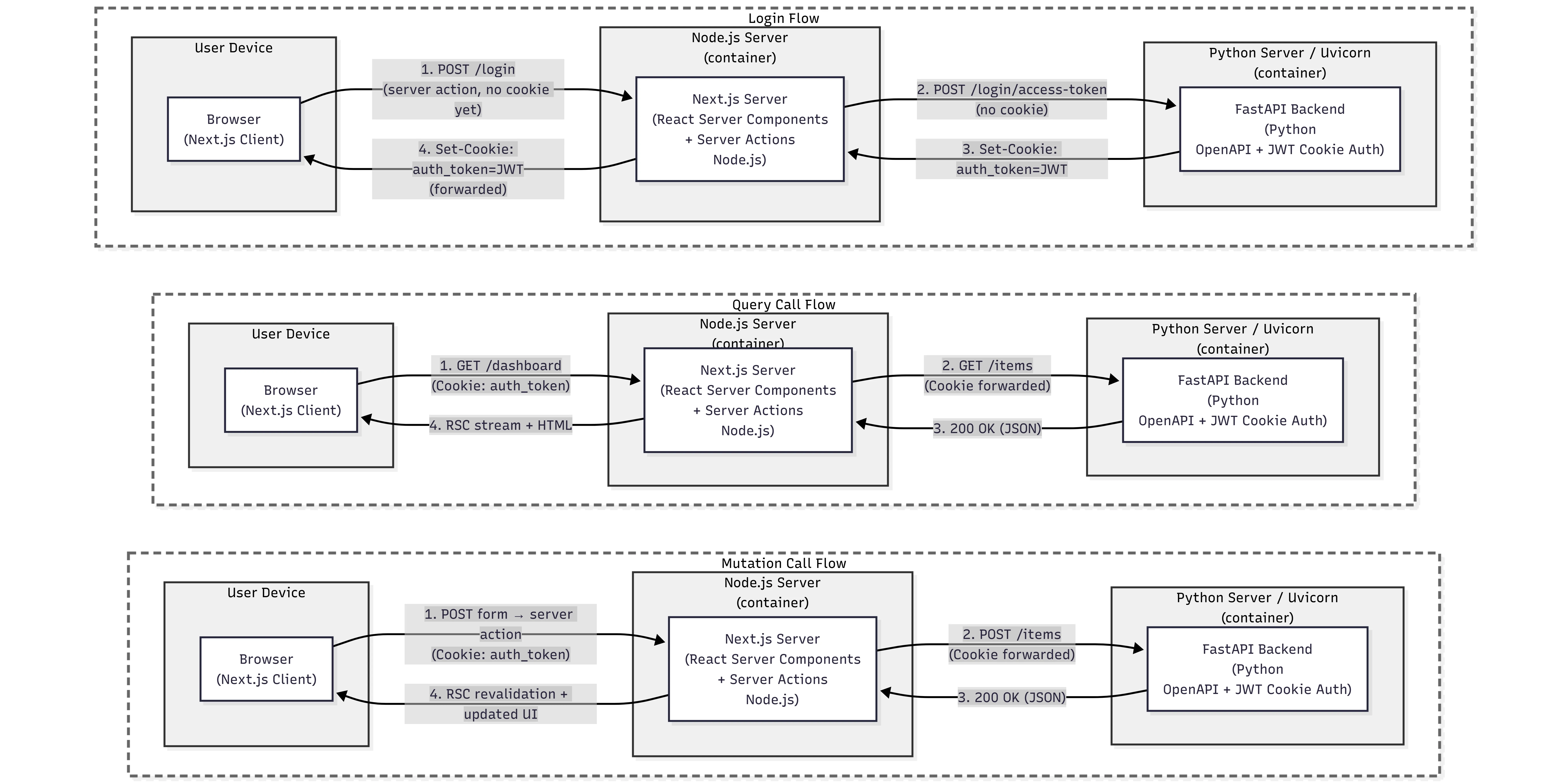
Next.js server actions with FastAPI backend and OpenAPI client
Connect Next.js to a FastAPI backend while preserving a modern React workflow with server actions and server components.
-
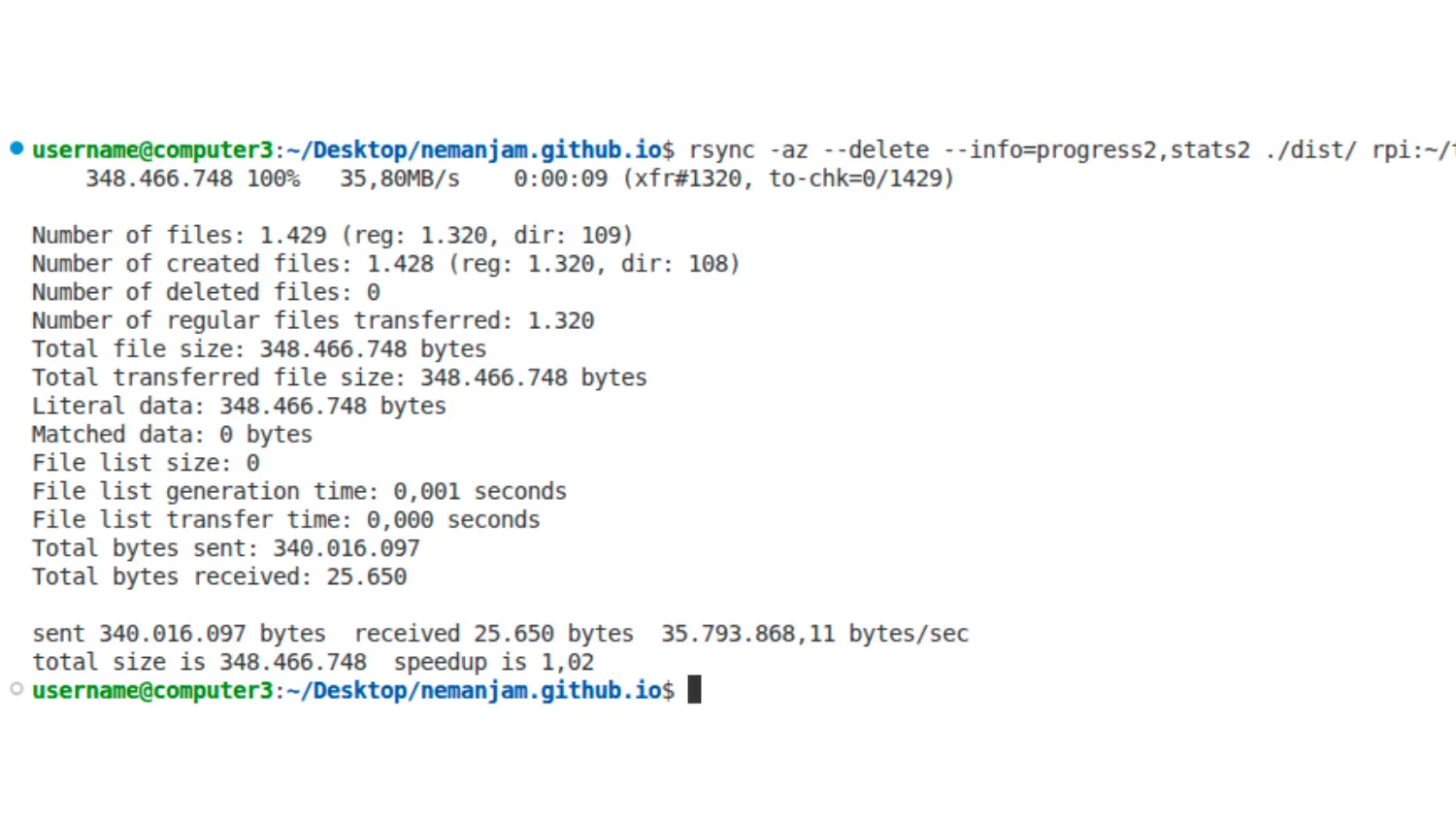
Why you should use rsync instead of scp in deployments
A practical performance comparison of deployment file transfer methods and why rsync usually outperforms scp.
-
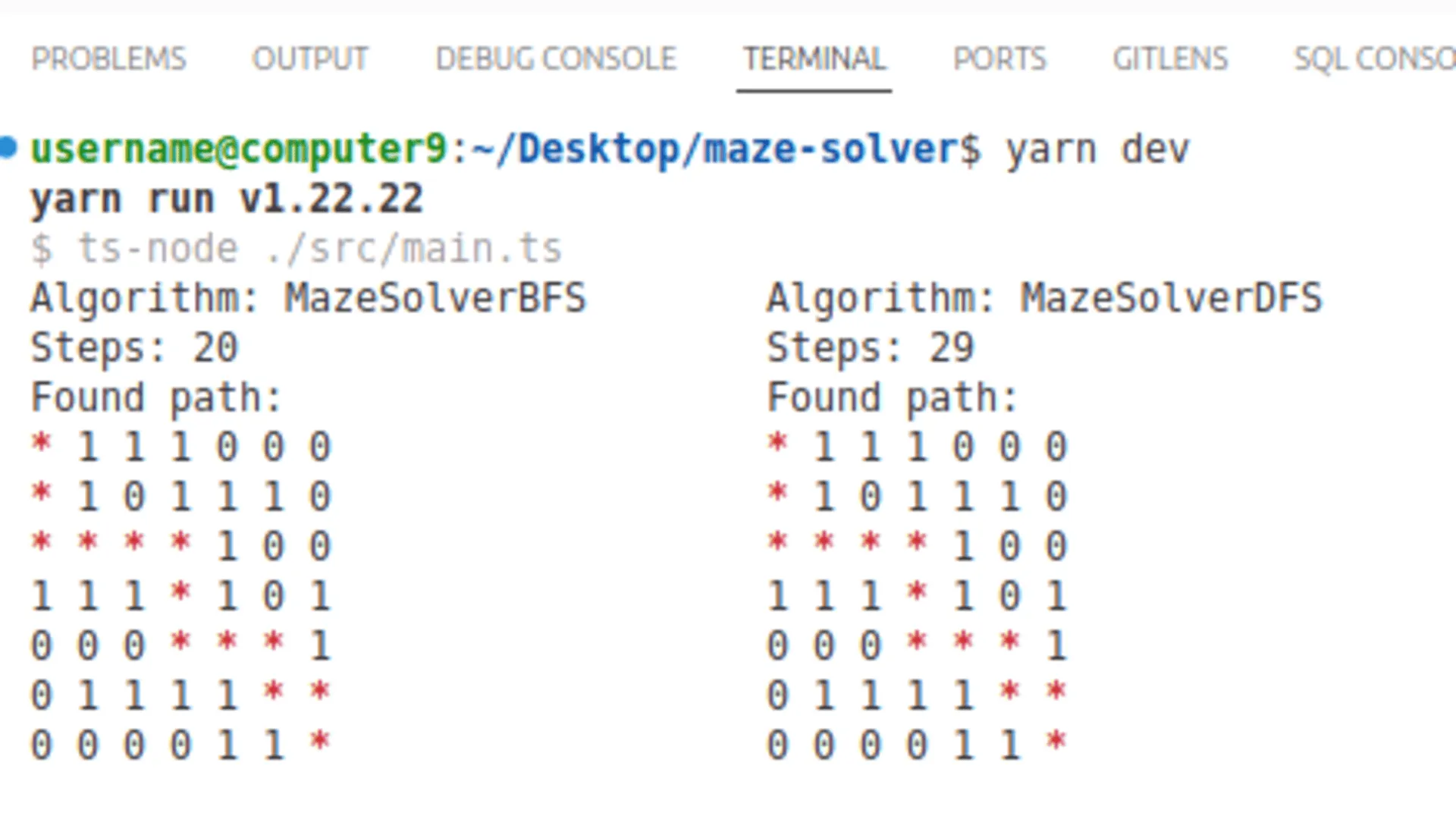
Comparing BFS, DFS, Dijkstra, and A* algorithms on a practical maze solver example
Understanding the strengths and trade-offs of core pathfinding algorithms through a practical maze example. Demo app included.